Account Types
JobRadars.com offers two types of accounts, each designed for different user needs.
Choose Your Account Type
When creating your JobRadars.com account, you'll need to select the type that best matches your goals:
Candidate Account
Perfect for job seekers looking for their next opportunity.
What You Can Do:
- Create and manage professional resumes
- Apply to jobs posted by employers
- Search thousands of job listings
- Get contacted by employers interested in your profile
- Track all your job applications
- Bookmark and save jobs
- Generate encoded resume sharing links
- Access all job search tools - completely free!
Pricing:
- Free: All candidate features are completely free
- Optional: Resume Promotion package - NZ$8 one-time purchase for 30 days
Employer Account
Ideal for companies and recruiters looking to hire talent.
What You Can Do:
- Post unlimited job listings
- Search comprehensive resume database
- Contact candidates directly
- Track applications and manage recruitment pipeline
- Access detailed analytics and insights
Pricing:
- Subscription Required: NZ$83/month
- All features included in subscription
- No setup fees or hidden costs
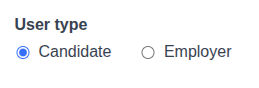
Screenshot: Account type selection during registration
Key Differences
| Feature | Candidate | Employer |
|---|---|---|
| Job Search | ✅ Yes (Free) | ❌ No |
| Resume Creation | ✅ Yes (Free) | ❌ No |
| Job Posting | ❌ No | ✅ Yes (Paid) |
| Resume Search | ❌ No | ✅ Yes (Paid) |
| Applied Jobs Tracking | ✅ Yes (Free) | ❌ No |
| Resume Promotion | 💰 One-time Purchase | ❌ No |
| Candidate Contact | ❌ No | ✅ Yes (Paid) |
Making Your Choice
Choose Candidate Account If:
- You are looking for a job
- You want to showcase your skills and experience
- You want employers to find and contact you
- You need tools to organize your job search
Choose Employer Account If:
- You are hiring for your company
- You are a recruiter or HR professional
- You need to post job openings
- You want to search for and contact candidates
Important Notes
⚠️ Account Type Cannot Be Changed
Once you create an account, you cannot change the account type. If you need a different account type, you'll need to create a new account. Contact support if you need assistance with this process.
💡 Tip for Companies
If you're both hiring and job seeking (e.g., freelancer looking for work while also hiring subcontractors), you can create separate accounts with different email addresses.