Resume Search
Discover how to efficiently search through our resume database to find qualified candidates that match your specific requirements.
Getting Started with Resume Search
Access Requirements
- Verified employer account
- Active subscription for resume access
Quick Search Guide
Step 1: Access Resume Search
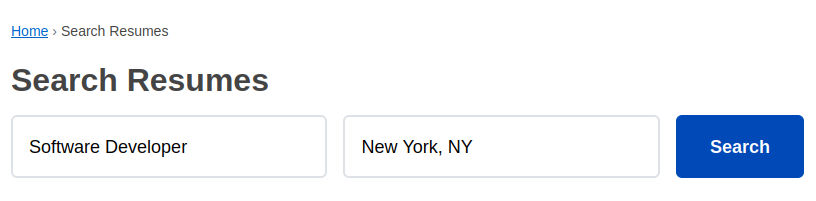
Navigate to "Search Resumes" from main menu.
Step 2: Enter Search Keywords
Start with job titles or skills related to your open position.
Step 3: Enter Location
Type city or region to narrow your search.
Step 4: Review & Contact
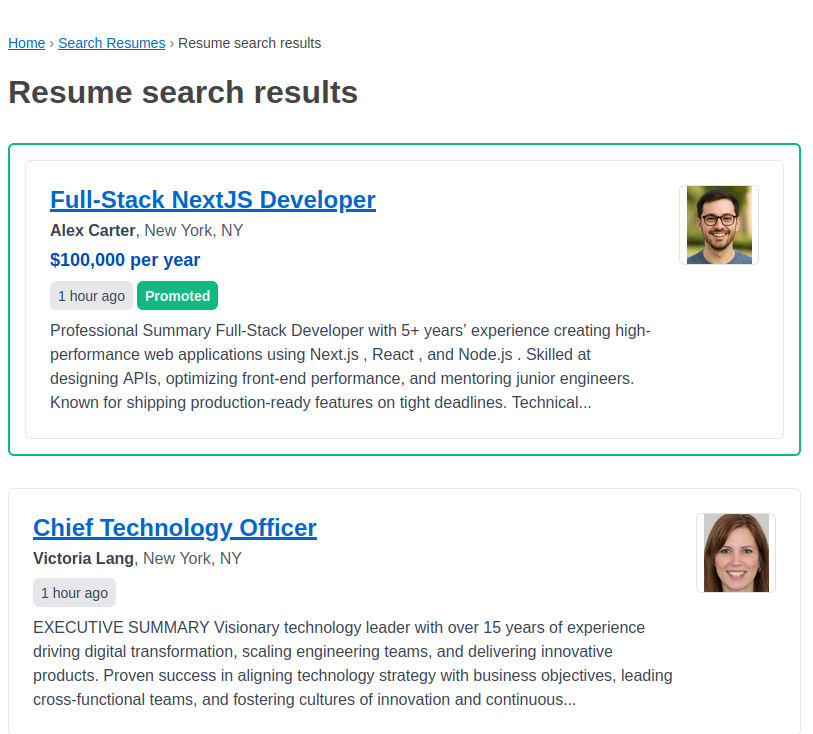
Browse results, view detailed resumes, and contact promising candidates.
Screenshot: Resume Search Form
Screenshot: Resume Search Results
Viewing and Evaluating Resumes
Key Areas to Assess:
Technical Skills Match
- Required skills vs candidate skills
- Years of experience with each technology
- Project complexity and scale
- Learning curve for missing skills
Experience Relevance
- Industry experience alignment
- Company size and culture fit
- Role progression and growth
- Project leadership and teamwork
Career Trajectory
- Consistent career advancement
- Skill development over time
- Job stability and commitment
- Alignment with your opportunity
Resume Quality Indicators
Positive Signals ✓
- Clear, well-structured format
- Quantified achievements and results
- Relevant keywords and skills
- Professional summary or objective
- Updated contact information
- Recent activity and engagement
Red Flags ✗
- Frequent job changes without explanation
- Large employment gaps
- Inconsistent or unclear information
- Outdated skills or technologies
- Poor formatting or errors
- Vague job descriptions